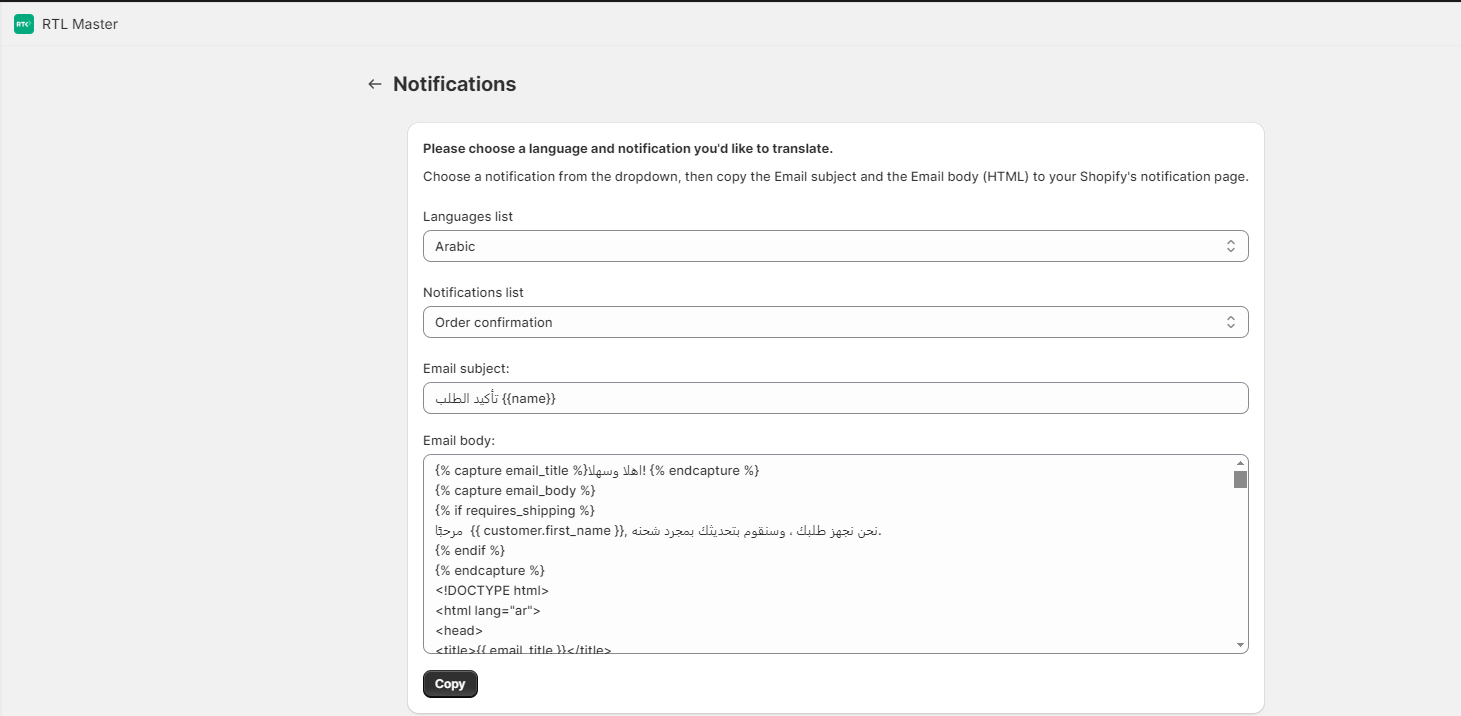
Navigate to the "Notifications" page in the app.
- Choose the language
- Choose the notification name, exactly as it's called in the Shopify Admin notification page (Settings > Notifications > Customer notifications).
- Copy the translated version
- Go to the Shopify admin, choose the notification and click "Edit code"
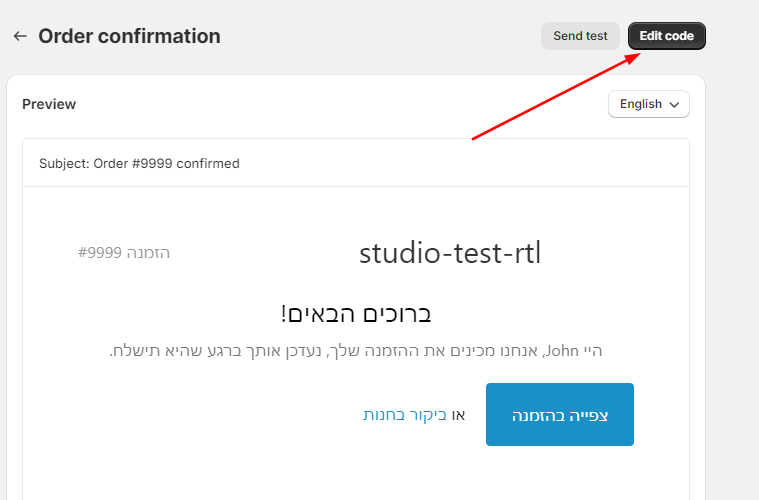
- Paste the translated version.
- Repeat the process for all the notification you want to translate.